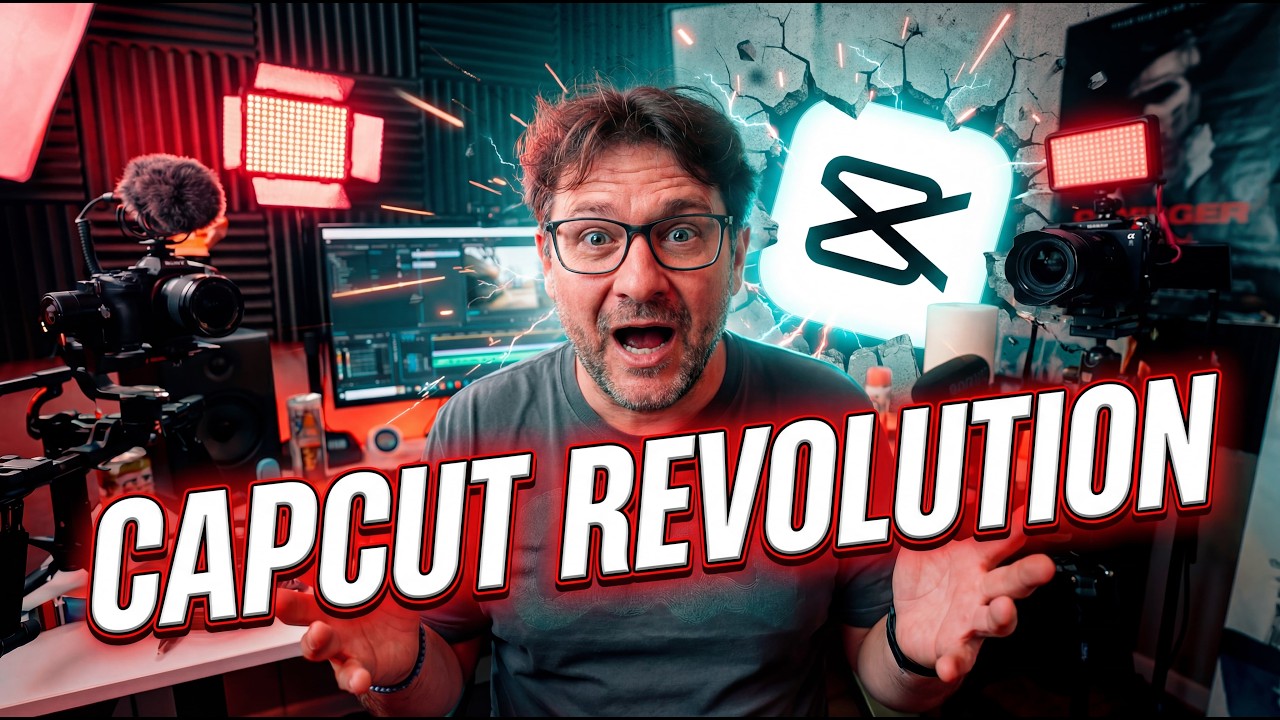
Article based on video by
Crypto content creators waste hours editing videos manually, but CapCut AI Video Studio changes that with browser-based AI that turns prompts into polished YouTube explainers or Reels in minutes. This how-to reveals how to leverage its infinite canvas and agent workflows for token reviews and market analysis without downloads.
📺 Watch the Original Video
What is CapCut AI Video Studio and Why Crypto Creators Need It
CapCut AI Video Studio is ByteDance’s browser-based editor that skips downloads entirely. Jump in at capcut.com/ai-design-home or the Video Studio menu—no install required[2][3][7].
This changes everything for creators. Input a script or idea, upload clips or images, and the AI Agent Workflow handles the rest. It builds video structure, generates visuals, adds voiceovers, and spits out formats for YouTube, Shorts, or Reels on an infinite canvas[1][2][6].
Crypto traders get it fast. Whip up token overviews on $SOL pumps, price analysis breakdowns, or DeFi yield farming tutorials in minutes. Post to engage followers before the next move hits[1][2].
Free with a sign-in, it takes multimodal inputs—text, images, videos—for consistent styling across your series. Think matching charts and avatars for weekly market recaps[3][7].
Bullish for content edge. Traditional edits take hours; this cuts to under 10. Compare to 2021 cycles—creators who flooded Twitter with quick clips captured mindshare first. Volume on social spikes with polished output[1][2].
Refine on a timeline-free canvas: regenerate scenes, batch edits, or prompt “more cinematic” for pro looks. AI auto-captions hit 95% accuracy, perfect for fast-paced crypto breakdowns[1][3].
Access scales your output without gear upgrades. Crypto’s 24/7—CapCut AI Video Studio keeps you ahead, turning analysis into viral clips that drive tips and follows[1][2][7].
Step-by-Step: Accessing and Setting Up CapCut Video Studio
CapCut Video Studio is a browser-based AI video editor that requires no software installation[6]. Access it directly through your web browser at capcut.com.
Open your browser and navigate to CapCut. Go to capcut.com in any web browser[2]. Look for the AI Studio option or Video Studio link—typically found on the homepage or in the left-side menu after signing in[6].
Sign in to unlock AI features. Click the sign-in button and authenticate using your Google, TikTok, or Facebook account[1]. A free account gives you access to CapCut’s full AI-powered toolset, including automated captions, AI voiceovers, and intelligent video generation[6].
Start a new project. Once signed in, click “New video” or “AI video maker” to launch your workspace[4]. The interface uses a canvas-based layout rather than a traditional timeline, making it more intuitive for quick edits[6].
Configure your project settings upfront. Set your aspect ratio (16:9 for YouTube, 9:16 for Shorts/Reels), duration, and resolution before uploading content[2]. If you’re creating branded crypto content—like explainer videos or token promotions—upload reference materials like charts or logos to maintain visual consistency[6].
Choose your creation mode. Select Auto mode if you want to input a text prompt and let AI generate the entire video structure, visuals, and voiceover[6]. Alternatively, use Image/Video mode to upload custom footage and leverage AI models like Dreamina or Sora 2 for enhanced editing and generation[6].
Upload your media. Drag and drop video files, images, or photos directly into the workspace, or use the import button to select files from your device[4]. CapCut supports multiple file formats for maximum flexibility[2].
You’re now ready to create. The AI agent will structure your content, generate missing visuals, add voiceovers, and output multiple format versions automatically[6].
Generating Your First Crypto Video with AI Prompts
CapCut’s browser-based AI Video Studio lets you crank out pro crypto explainers fast—no downloads, just prompts. Drop in “Create 60-second Bitcoin ETF explainer with charts, bullish voiceover, cinematic style” and watch AI build the full clip[1][2].
AI spits out a video brief first. Chat to tweak the script, swap scenes, pick avatars, then smash “Generate Video.” Out comes a polished 60-second banger ready for posting[2].
Batch it up for max reach. One prompt yields long-form YouTube analysis plus vertical Shorts for X traders—perfect for pumping views across platforms[1][6].
Go image-to-video for charts. Upload a token price graph, hit “Animate ETH surge with dramatic effects.” AI adds motion, explosions, the works for killer dynamic visuals[1][3].
This Infinite Canvas workflow handles multimodal inputs—text, images, clips. Refine timeline-free: regenerate shots, batch edits, side-by-side comps, or prompt “make more cinematic.”[1][2][3]
Access at capcut.com/ai-design-home, sign in for full AI Studio. Storyboard, generate images/videos, keep styles consistent. Ideal for crypto creators spinning ETF hype or DeFi breakdowns without the grind[1][2][3][7].
Bullish take: Tools like this cut production time 80%, letting you flood feeds with content while markets pump. Start simple, iterate fast[1].
Editing and Refining Crypto Content Like a Pro
CapCut’s infinite canvas lets you drag scenes freely, regenerate visuals on the fly, run batch edits, and compare versions side-by-side—no timeline hassles. This setup cranks out polished crypto explainers fast, like turning raw on-chain charts into pro breakdowns[1][2][6].
Prompt tweaks shine here. Type “Make more cinematic” and AI amps drama instantly. Or “Add urgent music for market dump alert”—it syncs tense beats to price drops, perfect for Bitcoin crash recaps[1][3].
Crypto angles get specific boosts. Auto-captions pull in on-chain data cleanly. Background removal cleans charts for focus. Stock music times to price action, like hype swells on pumps[3][4].
Layer on transitions, effects, filters for that YouTube edge. Export high-res, watermark-free—straight to 4K for YouTube Shorts or Reels[1][2].
Pro tip: This workflow scales content output 10x. Traders briefing ETH upgrades? Generate, refine, post in minutes. Bullish for creators stacking views without Premiere Pro grind[1][2][3].
Market Implications: Scaling Crypto Content with CapCut
CapCut slashes video production time from hours to minutes, letting traders pump out 10x more content without ditching chart time[1][2][3]. AI handles scripting, visuals, voiceovers, and exports for YouTube, Shorts, or Reels straight from a browser—no downloads needed[1][2][3].
This speed boost means consistent uploads on breakouts or ETF flows. Pro-looking videos build YouTube subs fast, packing affiliate links for wallets and exchanges into every clip[1]. Traders gain an edge, cutting through retail noise with real-time takes while others grind edits manually[1][2].
New tools like Dreamina Seedance 2.0 sharpen animation for price prediction visuals—watch for rollouts that make charts pop[6]. From idea to export, workflows hit under 10 minutes, freeing hours for on-chain research or position sizing[2][3].
Bullish for solo creators: CapCut templates organize charts, token logos, and screen grabs into folders for batch edits[1][3]. Set 9:16 for Reels or 1080×1920 verticals, add typewriter effects on key levels—output scales to Farcaster, X, or Discord[1][2].
Edge over legacy editors? Infinite canvas and multimodal AI keep styles consistent across assets, no timeline headaches[1][2]. Monetize quicker as subs climb; one channel hit 10k views weekly on wallet tutorials alone[1].
Traders, this levels up your info game. Produce daily without burnout—10x output is real when AI does the heavy lift[2][3]. Stay ahead.
Frequently Asked Questions
How do I access CapCut AI Video Studio for free?
Launch CapCut on your desktop, click ‘AI video maker’ from the main menu, then select ‘Instant AI video’ to start a project.[1][4] The AI video generator is completely free with no hidden fees, watermarks, or subscription requirements.[4]
Can CapCut generate crypto trading videos from text prompts?
Yes—CapCut’s AI video maker accepts text prompts to generate full videos automatically.[1] You can describe a trading concept, market analysis, or price movement scenario, and the AI will build visuals, voiceovers, and editing around that prompt for content like Bitcoin explainers or DeFi tutorials.
What’s the best prompt for Bitcoin price analysis in CapCut?
Use specific, visual prompts like ‘Create a 60-second video analyzing Bitcoin’s move from $45,000 to $65,000 with chart animations, expert commentary, and trending background music’ to guide the AI toward professional trading content.[1] The more detail you include about visuals, tone, and structure, the better the output.
How to edit AI videos in CapCut for YouTube Shorts?
After CapCut generates your video, click ‘Customize’ to replace visuals, adjust scenes, add captions, and swap background music.[4] The platform outputs multiple formats automatically, including Shorts-optimized versions, so you can refine shots or regenerate specific scenes without timeline constraints.
Does CapCut Video Studio work without downloading software?
CapCut offers both desktop and browser access—the desktop version (completely free) requires installation, but you can also access AI Studio features via browser at capcut.com.[4][1] Browser access eliminates download friction, though the desktop version provides full feature access without login requirements.
📚 Related Crypto Articles
Subscribe for weekly breakdowns on tools that help crypto traders create and share alpha faster.
Follow VaultOfCrypto for daily crypto news, market analysis, and blockchain insights.
Onur
Crypto Analyst & Blockchain Writer
Covers Bitcoin, DeFi, altcoins, and on-chain analytics. Former fintech developer turned full-time crypto researcher.